
Pay now lets you pay an eligible invoice from your TUIO account. If the enrollment has no payment method, TUIO asks you to assign one before paying an invoice individually.
Open Pay now
- Sign in and open Invoices.
- Find the invoice and select Options > Pay now.
If Payment method appears
Choose a card or bank account for the enrollment. Review the balance, amount due now and any past-due invoices. A preselected method still needs to be saved.
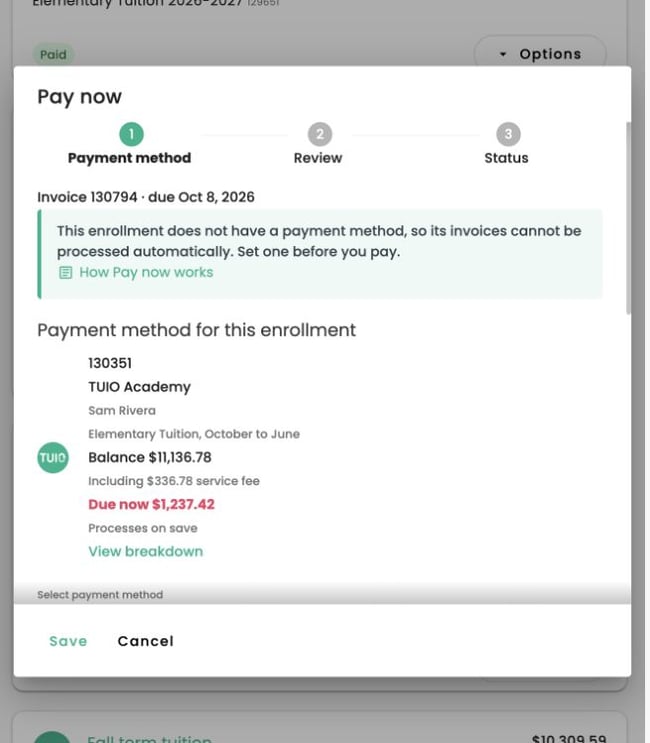
If past-due invoices are shown, choose:
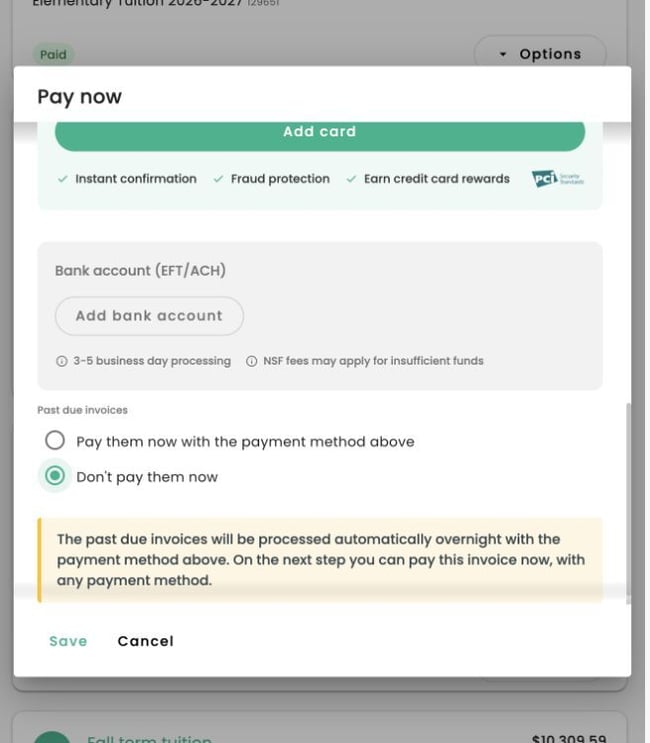
- Pay them now with the payment method above: selecting Save starts payment of those past-due invoices.
- Don't pay them now: selecting Save assigns the method and leaves eligible past-due invoices for automatic processing overnight. You can then pay the individual invoice at Review. This choice does not cancel the balance or stop automatic collection.
Read the result before submitting another payment. Do not pay an invoice again if it is paid or has a payment in progress.
Review and pay an individual invoice
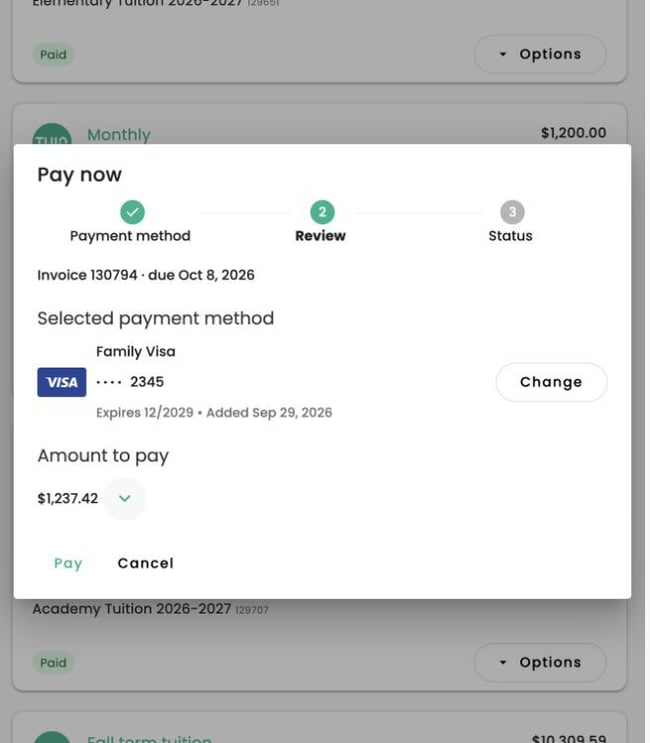
If the enrollment already has a payment method, Pay now opens at Review.
- Review the selected payment method. Use Change to choose another available card or bank account for this invoice.
- Review Amount to pay. Expand the charge breakdown to check the charges, discounts, tax, service fee, credits and remaining balance that apply.
- Select Pay when ready, then read the result. A bank payment may still be processing.
Paying an individual invoice with another method does not change the payment method assigned to every enrollment. The invoice flow ends after the payment result.
If the payment fails
Read the failure message and follow any displayed resolution instructions. Check the invoice and transaction history before attempting another payment. If a payment is already processing, wait for its result.
If you pay before the due date, TUIO asks you to confirm the early payment. An invoice due today does not require that extra early-payment confirmation.
If Pay now is unavailable
An invoice placed On hold by the school cannot be paid by a parent. Contact the school about a hold, an unexpected charge or a missing payment option. For a processing payment, see Has My Payment Processed?.