
Check each enrollment separately to confirm that its payment setup is complete.
- Open Enrollments.
- Find the student's program and review the status on its card.
- If it says Pending payment setup, select Setup payment and finish the payment-plan and payment-method prompts.
- Open an active enrollment to review its selected payment method and invoice schedule.
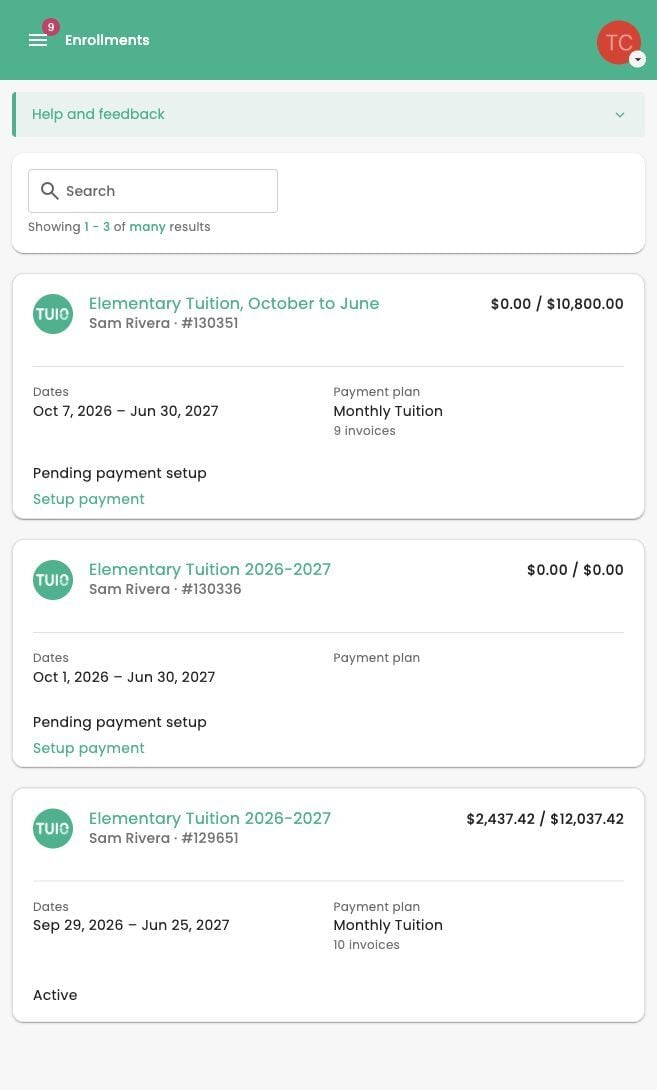
Active does not mean every invoice has been paid. Review Invoices for individual payment statuses, balances and any action needed. A saved payment method alone does not confirm every enrollment.
If a payment is in progress, allow it to finish before trying again. Contact your school if an enrollment or payment plan is missing or does not match what you expected.
Video walkthrough
The video may show earlier screens. Follow the written steps above for the current controls.
